
Packing Slip Settings allow you to customize the packing lists that accompany your orders. Separate configurations are available for Direct-to-Consumer (D2C) and Business-to-Business (B2B) shipments.
Accessing Packing Slip Settings
- Log in to Kase.
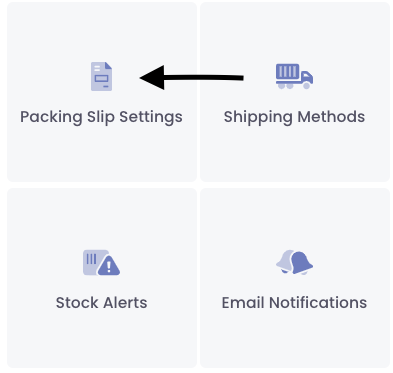
- Select the Settings (gear icon) in the upper-right corner of the screen.
Click Packing Slip Settings.

D2C Packing Slip Configuration
D2C packing slips are printed on a 4" x 6" label in black and white.
Within the D2C tab, you can customize the following:
Company Name
Enter the company name you would like displayed on the packing slip.
Company Logo
Upload the logo you would like displayed on the packing slip.
Packing Slip Type
Choose one of the following options:
- Disabled – No D2C packing slip will be generated.
- Generic Label – A standard packing slip printed on a 4" x 6" label (included at no additional cost).
QR Code Options
You may choose to include a QR code on your D2C packing slip.
Available QR code options include:
- Ecommerce Checkout URL
- Static URL
- Kase URL (Virtual Packing Slip)
- None
If a QR code option is selected, you must enter the corresponding URL in the QR Code URL field.
Include Pricing
Select the Include Pricing checkbox if you would like product pricing displayed on the packing slip.
Note: Pricing is pulled directly from your eCommerce checkout information.
Save Your Changes
Once all desired settings have been configured, select Submit at the bottom of the page.
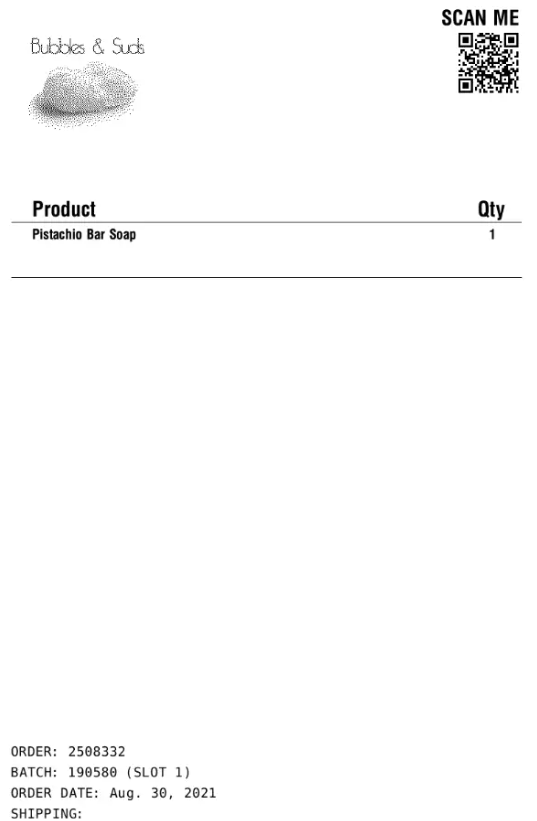
After an order has been processed, a sample of your packing slip will be available for review on this page.
Note: These changes will apply to every packing slip for all of your orders and are all printed on 4x6 labels (Not on 8x11 paper)
Image Example:
B2B Packing Slip Configuration
The B2B Packing Slip tab controls packing slips generated for all orders designated as B2B shipments.
Packing Slip Format
Choose from one of the following options:
Generic Label (4" x 6")
A standard packing slip printed on a 4" x 6" label at no additional cost.
For Generic Labels, you can customize:
- Company Name
- Company Logo
Full-Size Packing Slip (8.5" x 11")
A customized packing slip printed on standard paper.
Note: Charges for full-size packing slips may apply. Please refer to your contract for applicable pricing.
For Full-Size Packing Slips, you can customize:
- Company Name
- Company Logo
- Header Text
- Subheader Text
- Footer Text
Save Your Changes
Once your B2B packing slip configuration is complete, select Submit at the bottom of the page.
After an order has been processed, a sample of your packing slip will be available for review within the Packing Slip Settings page.
Need Assistance?
If you have questions about packing slip configuration or would like assistance setting up a custom packing slip, please contact the Kase Support Team.
Comments
0 comments
Please sign in to leave a comment.