
Setting up your shipping methods correctly ensures your customers are charged the right amount at checkout—and that Kase fulfills those orders using the right carrier and service.
This guide walks you through:
- How to set up shipping methods in Shopify
- How to map those methods in Kase
- What happens when shipping methods are missing or mismatched
- How to use custom shipping rules
🔧 PART 1: Setting Up Shipping Methods in Shopify
Follow these steps in Shopify to create the shipping methods your customers will see at checkout:
Step 1: Open Shipping Settings
-
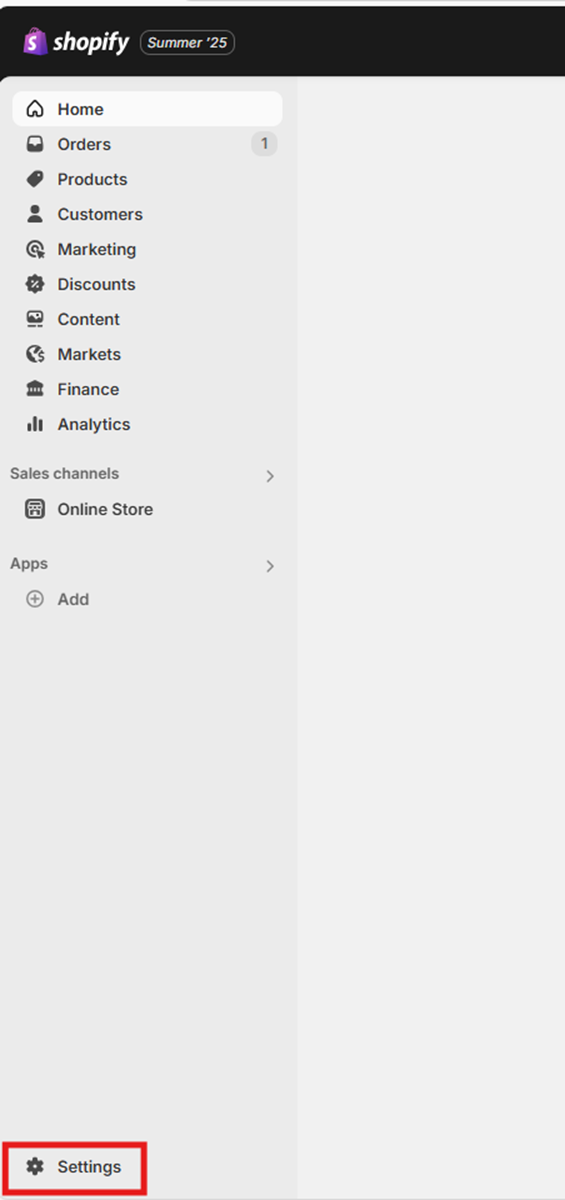
In your Shopify Admin, select “Settings”
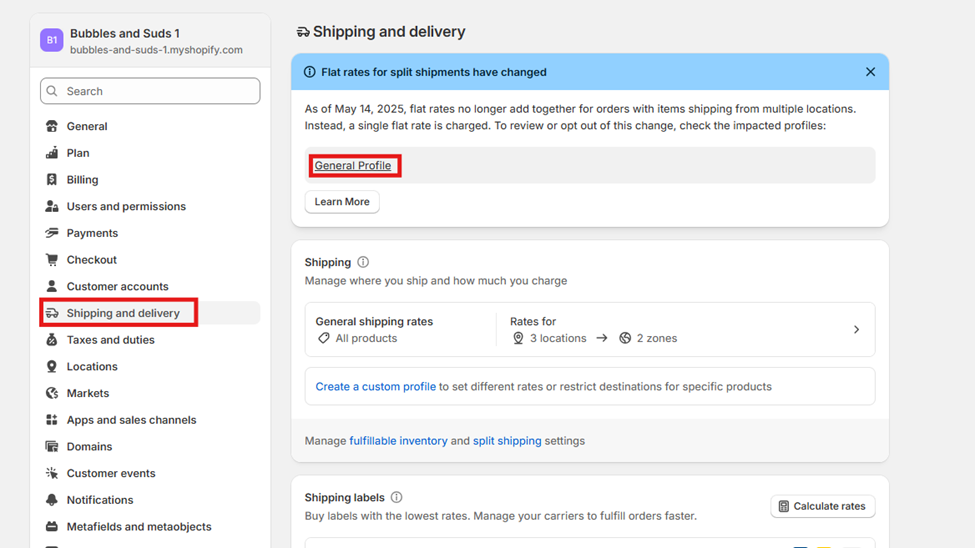
- Select “Shipping and Delivery”
-
Under “Shipping Profiles,” select the “General Profile”
Step 2: Add a Rate
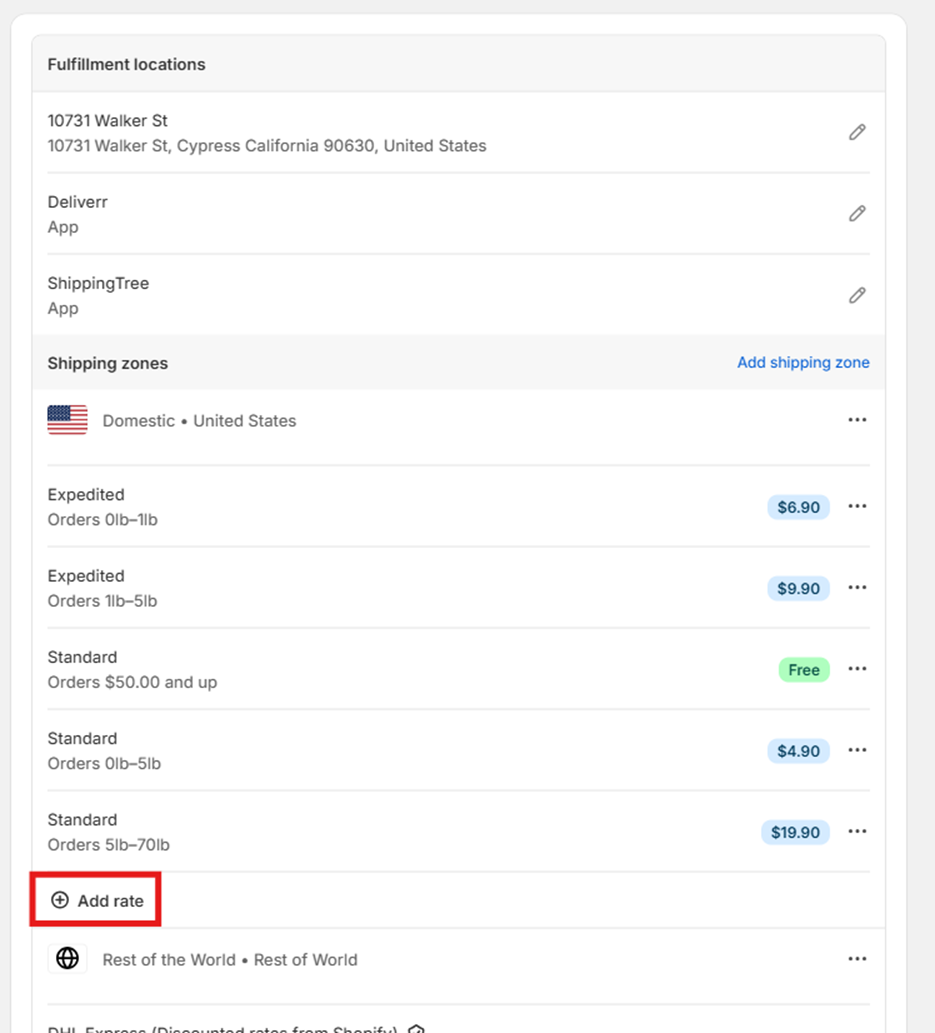
- Confirm ShippingTree is selected as a Fulfillment Location
-
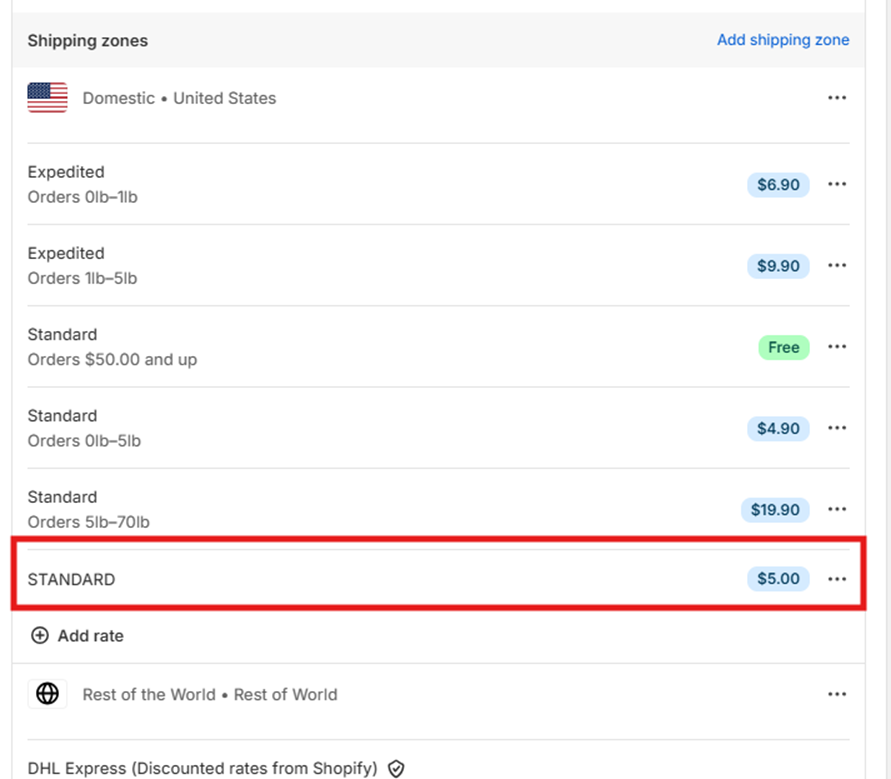
Scroll to your “Shipping Zones” section and click “Add Rate”
Step 3: Choose a Shipping Rate Type
-
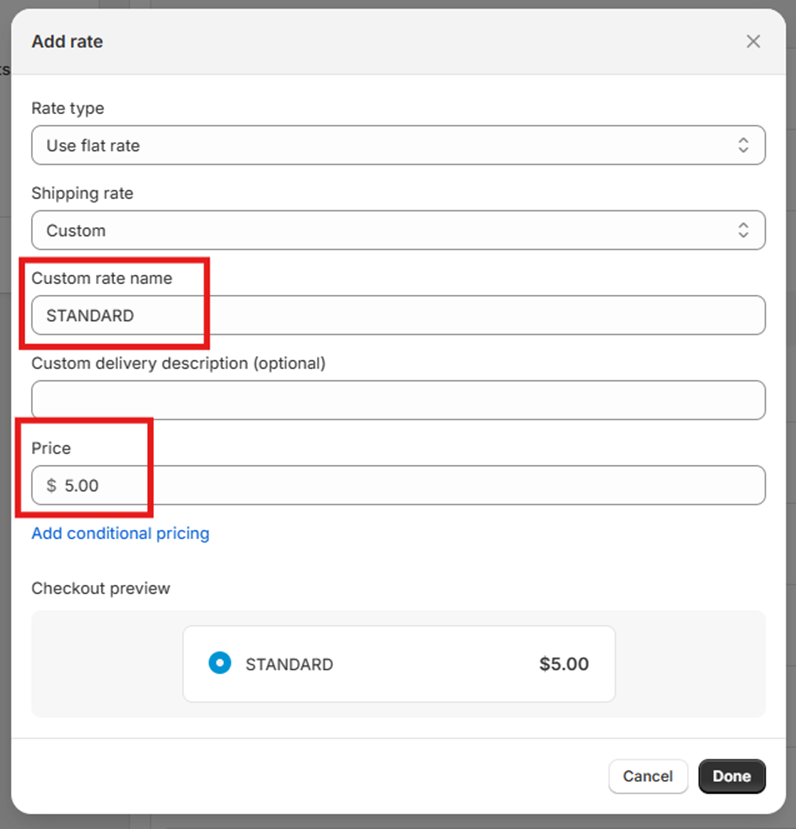
From the “Shipping Rate” drop-down, either choose a pre-made option or select “Custom”
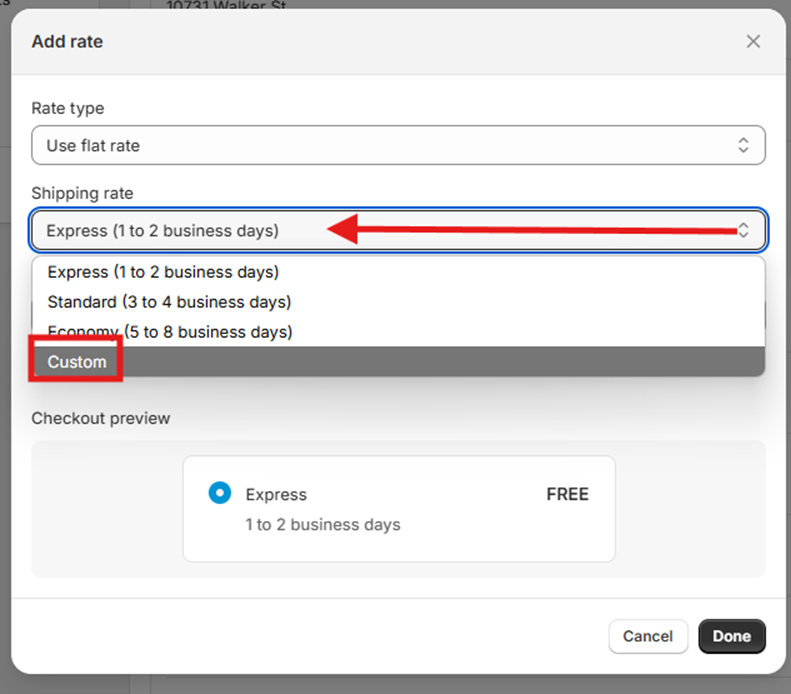
- If using a custom rate, enter the Shipping Name you want customers to see (e.g., STANDARD, EXPRESS, FREE SHIPPING)
-
Enter the price you want to charge
-
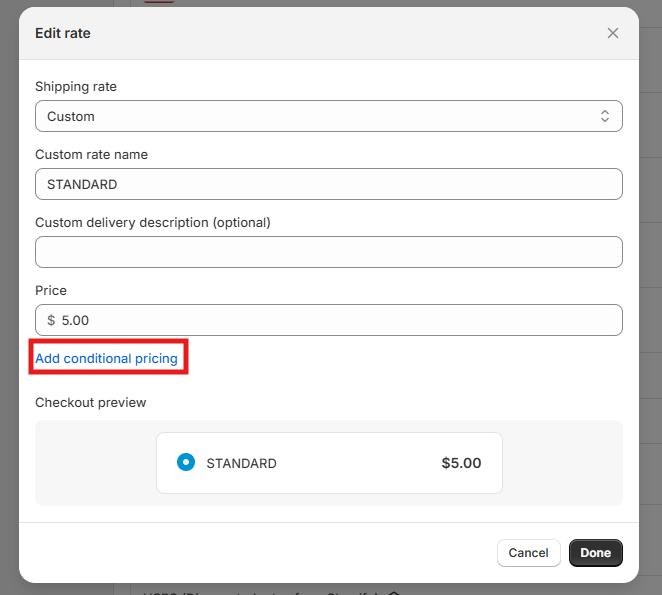
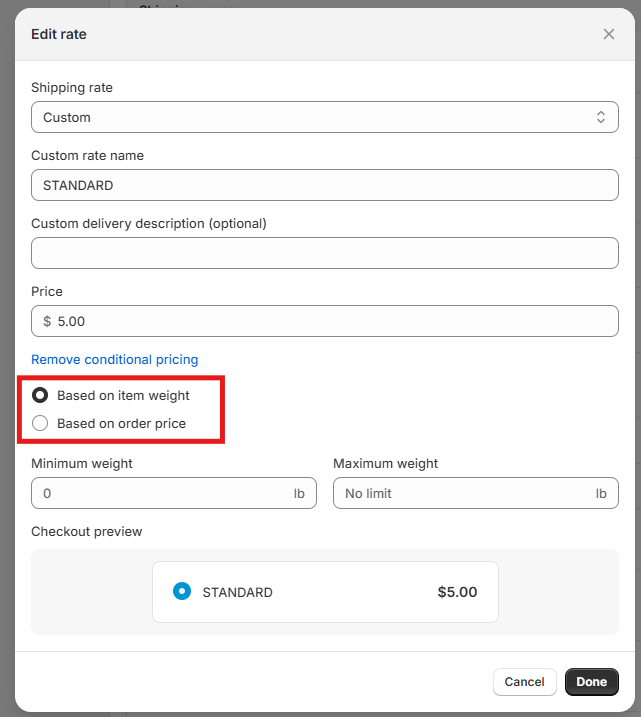
(Optional) Click “Add Conditions” to set up rates by order weight or price
-
Click “Done”
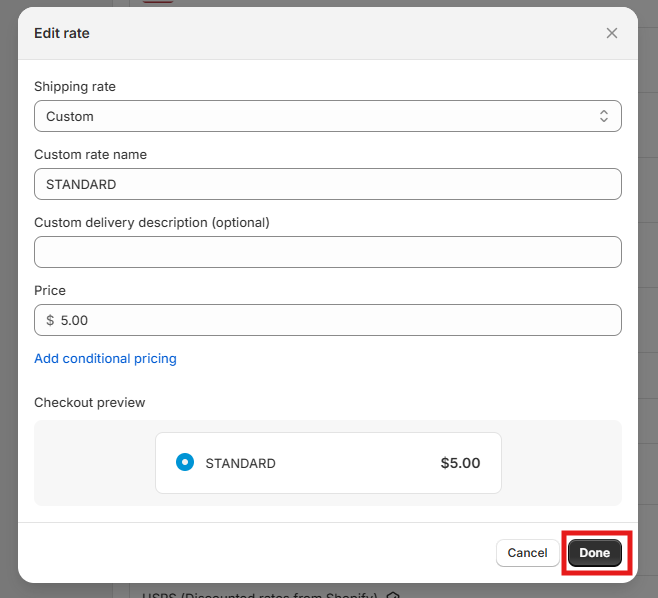
You’ll now see your new shipping method displayed on the page.
🔁 PART 2: Mapping Shipping Methods in Kase
Once a method is added in Shopify, you need to map it in Kase to ensure the order flows correctly to fulfillment.
Step 1: Navigate to Shipping Method Settings in Kase
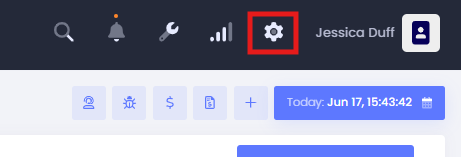
- In the Kase dashboard, click the gear icon (⚙️)
-
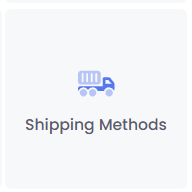
Select “Shipping Method”
-
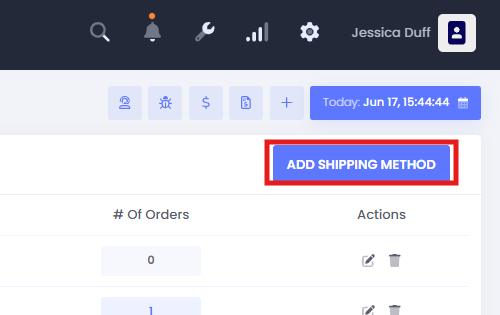
Click “Add Shipping Method”
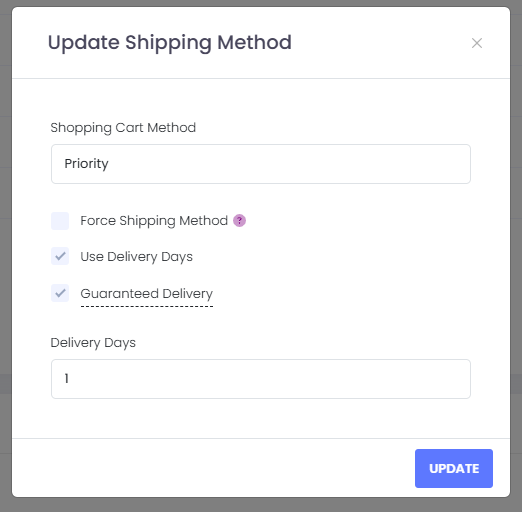
Step 2: Fill Out the Mapping Form
-
In ‘Shopping Cart Method’, input the exact name as it appears in Shopify (this field is case- and space-sensitive)
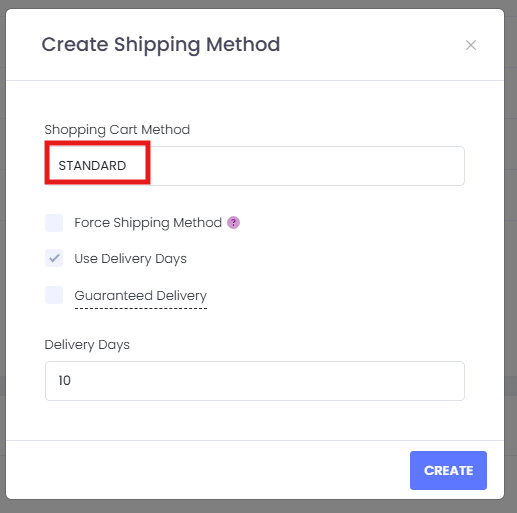
- Choose one of the following options:
- Force Shipping Method – use this if you would like to be notified and have your order delayed if the desired service level cannot be found.
- Use Delivery Days – allows Kase to rate shop for the lowest-cost option that meets your delivery speed.
- Guaranteed Delivery Days – restricts rate shopping to only guaranteed delivery options for faster or time-sensitive shipments.
- Click “Create” to save.
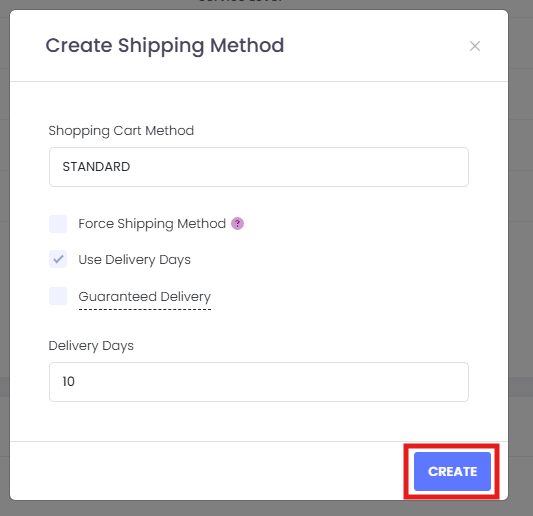
✅ Tip: Most of our clients use names like STANDARD , EXPRESS , 2-DAY , or FREE SHIPPING , but you're free to customize.
🔍 How Kase Matches Shipping Methods
When setup is complete, Kase will automatically match the shipping method selected by your customer on each order. However, there are exceptions where automatic matching may fail:
⚠️ Common Reasons for Mismatched or Unmapped Methods:
- The method in Shopify doesn’t match the method mapped in Kase exactly (even differences in capitalization or spacing matter)
- The method is unavailable for the package size or destination
- No method is mapped in Kase at all
🛠️ What Happens If No Match is Found?
If no match is found, your order will default to:
Kase Bulk Rate
This is a fallback method used when no mapping exists or when the requested method is unavailable. Kase will search all available rates from our carrier partners and select the least expensive economy option.
🔄 Advanced Options: Conditional Mapping & Blacklisting
Kase allows for flexible shipping configurations:
- Custom Conditions – Add pricing tiers by weight or order total in Shopify
- Blacklisting Methods – Prevent specific carrier services from being selected (This is available to all clients on the bottom of your "Shipping Methods" Page)
- Adding Your Own Carrier Accounts – Use your negotiated rates by connecting your own carrier credentials (separate guide available here)
📋 Summary of Available Method Mapping Options
| Setting | Description |
|---|---|
| Shopping Cart Method | Must match Shopify name exactly |
| Force Shipping Method | You will be notified and the order will be delayed if the desired service level cannot be found. |
| Use Delivery Days | Rate shop based on estimated delivery days |
| Guaranteed Delivery | Only include guaranteed delivery options |
| Fallback (Bulk Rate) | Used when no mapped method is found |
📬 Examples of Commonly Used Shipping Methods
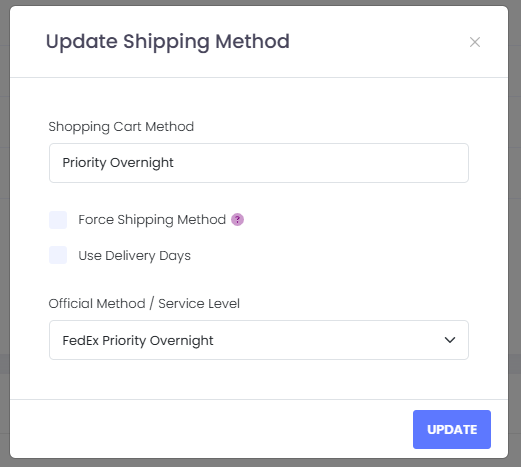
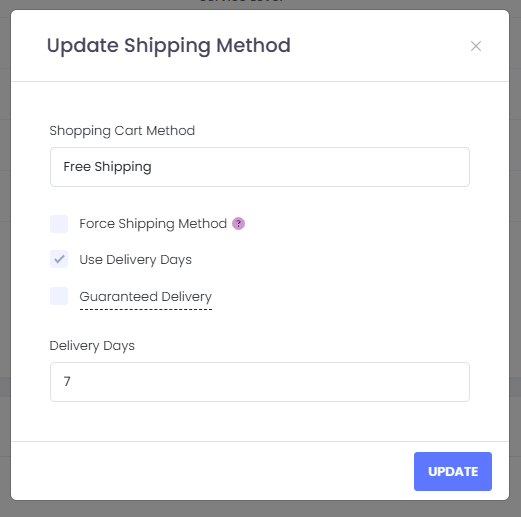
Below are some of the most common shipping methods our clients use and how they appear in both Shopify and Kase. These names should match exactly when entered into the “Shopping Cart Method” field in Kase.
PO Box Disclaimer:
PO Box Addresses cannot ship via UPS. If the order is sent with a UPS Mapped shipping method, our system will select the next lowest-cost option for delivering to PO Boxes as UPS does not service or deliver to PO Boxes.
❓ Need Help?
Correct shipping setup is critical to successful fulfillment. Our onboarding team will assist you during setup, and we’re always happy to make adjustments.
Comments
0 comments
Please sign in to leave a comment.