
If you don't have enough inventory to fulfill an entire order at once, Shopify gives you the flexibility to split your fulfillment into multiple shipments. This allows you to ship what you do have in stock right away while keeping the out-of-stock items scheduled for a later shipment.
🚨 Before You Begin
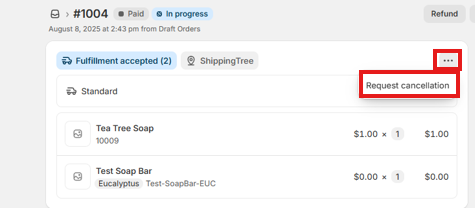
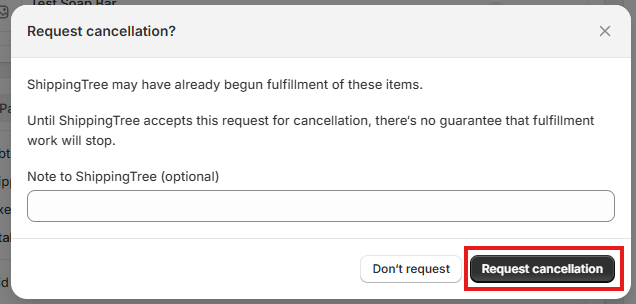
If your Shopify order has already generated a fulfillment request, you must cancel the fulfillment request before you're able to split the order. here's how:
- Go to the order in your Shopify admin.
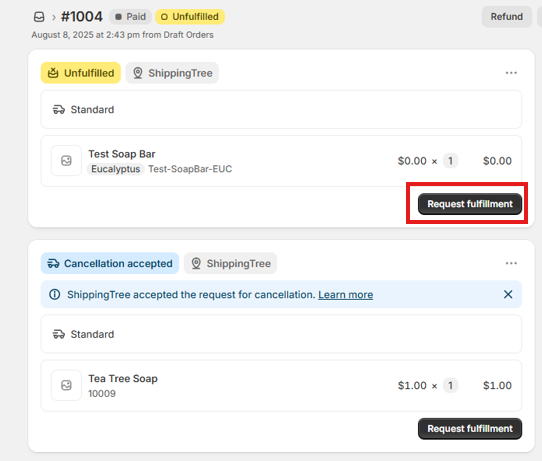
- Go to the order page, select the ..., and select "Request Cancellation". (Screenshots Below)
⚠️Once canceled in Shopify, make sure to double-check it was canceled in Kase as well, then proceed with the steps below to split the order.
⚠️IF the order has been waved in Kase, you will not be able to split or cancel the fulfillment of the order. Order will be fulfilled as it was received in our system.
🛠 How to Split a Fulfillment in Shopify
Once the fulfillment request is canceled, follow these steps:
- From your Shopify admin, go to Orders.
- Click the order you want to split a fulfillment for.
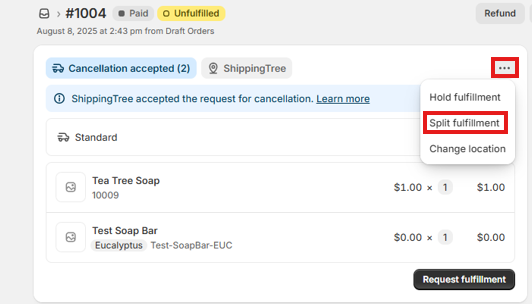
- In the Unfulfilled section, click the ... (more options), then select "Split fulfillment". (See Screenshot below)
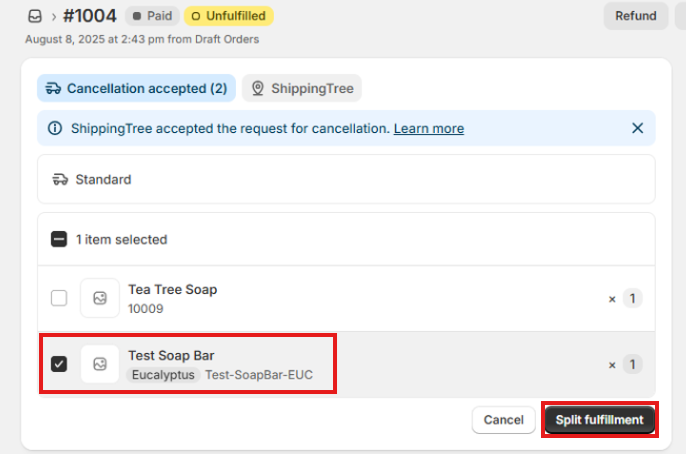
- Choose the specific items and quantities you want to include in the split. (See Screenshot below)
- Click "Split Fulfillment" to confirm. (See Screenshot Below)
🚚 Requesting Fulfillment of the Split Order
After splitting your order, Shopify will create separate fulfillment groups for each shipment. Once you're ready for us to fulfill those shipments:
- Open the order in Shopify
- Select "Request Fulfillment" on the fulfillment you wish to be fulfilled (See Screenshot Below)
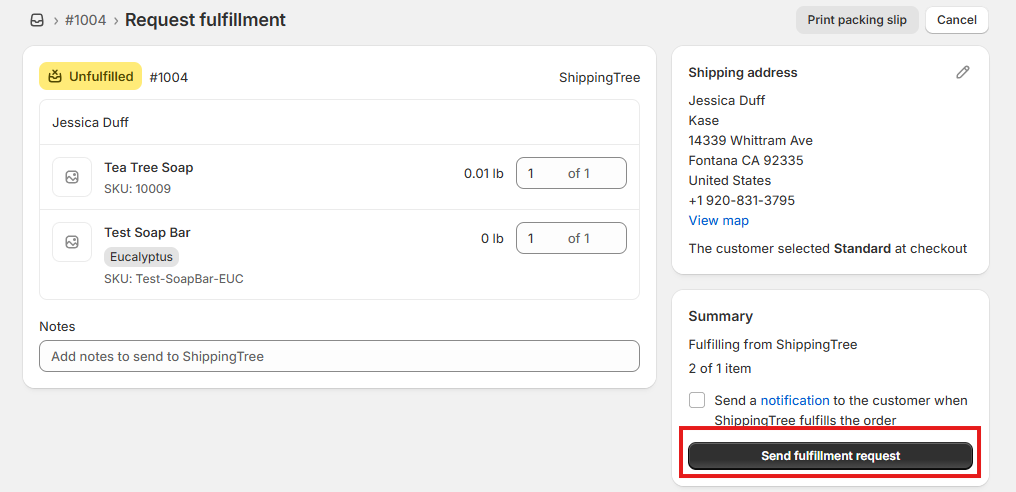
- Select "Request Fulfillment" again on the second page (See Screenshot Below)
- Make sure the order came over on the Kase app
⚠️ If you do not click Request Fulfillment, your order will remain unfulfilled in Shopify and will not be shipped as we will not have visibility of the order.
✅ Why This Matters
Splitting an order helps you:
- Ship in-stock items faster, improving your customer experience.
- Avoid delaying the entire order due to one out-of-stock item.
- Maintain better control over how and when orders ship.
If you have any questions or need help canceling the fulfillment request or splitting orders, don't hesitate to reach out to our support team.
Comments
0 comments
Please sign in to leave a comment.