
To access the Kase API you will need to generate an API key. This can be done from the company settings. Our API docs are available here: https://app.shippingtree.co/api/docs/.
To Generate an API key:
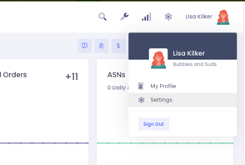
1. To access company settings, click on your profile name on the top right of the page. Select the Settings option.
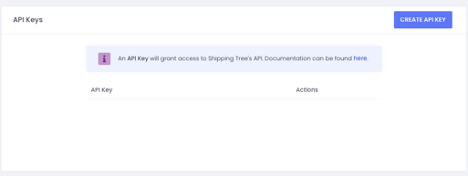
2. At the bottom of the page will be a section for API keys. To Generate an API key, click the blue box “Create API KEY.
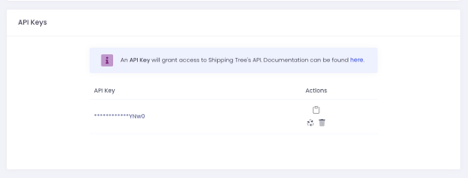
3.Once you have generated an API key you will have the following options:
- Copy to clipboard
- Regenerate API Key
- Revoke API Key access
Comments
0 comments
Please sign in to leave a comment.