
Our Automations feature allows you to streamline your operations by setting up rules that automatically tag incoming orders based on specific conditions. One powerful use case is tagging orders that start with a particular prefix — for example, tagging any order that begins with "PR" as a PR order.
This is especially useful for:
- Press or promotional (PR) orders
- Internal team test orders (e.g., "TEST123")
- Subscription orders (e.g., "SUB001234")
- Orders by channel or program
In this guide, we’ll show you how to create an automation that tags any order starting with "PR" with the "PR" tag.
📌 Step-by-Step Instructions
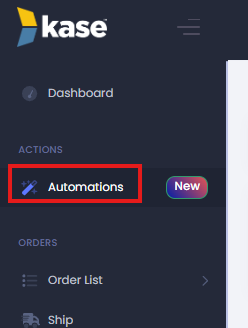
1. Navigate to the Automations Page
Log in to your admin portal and go to:
Settings → Automations
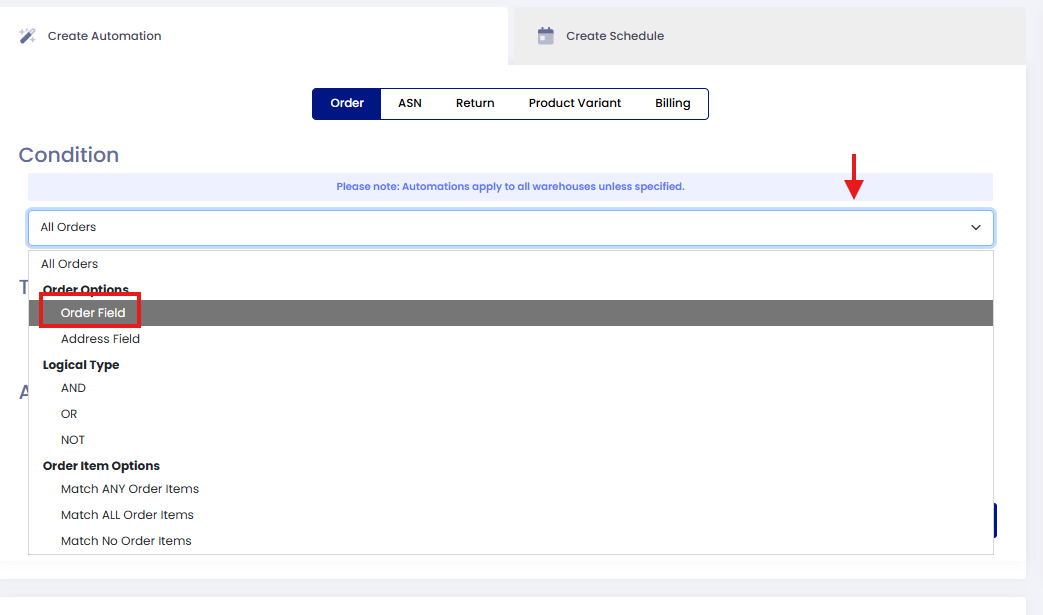
2. Set Your Conditions
On the first dropdown, select "Order Field"
Then fil in the below information:
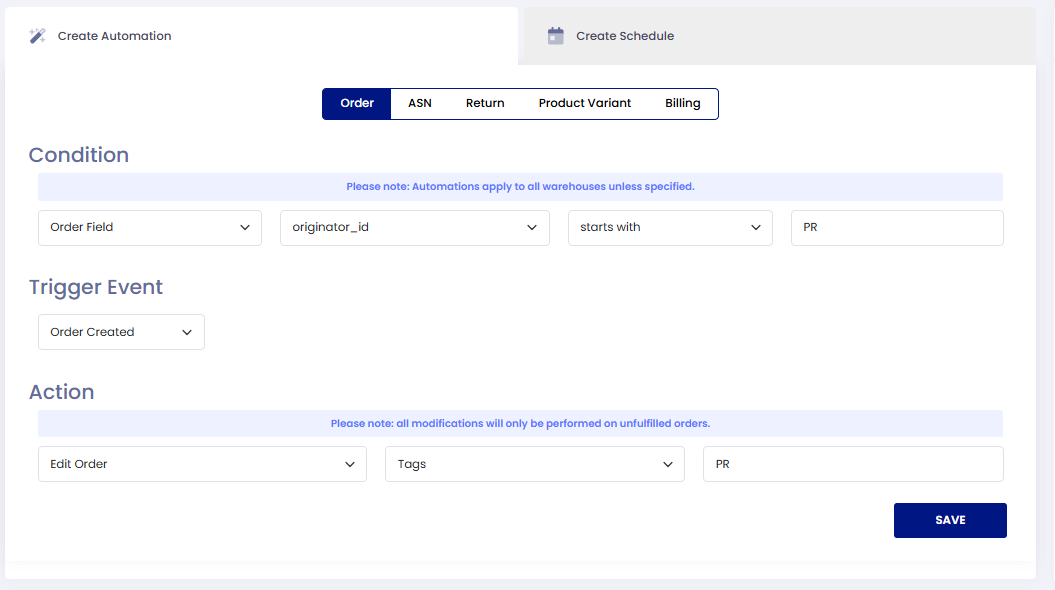
🏷️ This action will apply the PR tag to the order automatically.
✅ Example Use Case
Let’s say you frequently enter manual orders for press samples, and you prefix those orders with "PR" to track them internally. With this automation in place, every time an order is created with an order number like PR123456 , the system will instantly add the tag PR , keeping your orders organized without any manual steps.
💡 Pro Tips
- You can create similar automations using other prefixes (e.g., "INT", "TEST", "WH") depending on your business needs.
- Tags can be used for internal visibility, filtering, routing logic, and reporting.
If you need assistance setting up your automation, our team is here to help — just reach out!
Comments
0 comments
Please sign in to leave a comment.