
At Kase, we understand how important custom packaging is for your brand experience. To ensure your branded packaging is properly tracked, managed, and fulfilled, please follow the steps below for adding branded packaging to your account.
📦 Step 1: Let Us Create Your Packaging SKUs
Only the Kase team can create SKUs for packaging materials. This helps us standardize naming conventions, track packaging usage accurately, and keep fulfillment running smoothly.
📝 Step 2: Add Packaging Details to Your First ASN
When you're submitting your first ASN with branded packaging, please include the packaging details in the "Notes" section of the ASN.
In the notes, provide the following for each packaging item:
- Description of the packaging (e.g., Branded Tissue Paper - Pink, Large Kraft Mailer)
- Desired SKU name (e.g., PKG-TISSUE-PINK, PKG-MAILER-KRAFT-L)
- Qty of each packaging item
🔍 Where to add the notes:
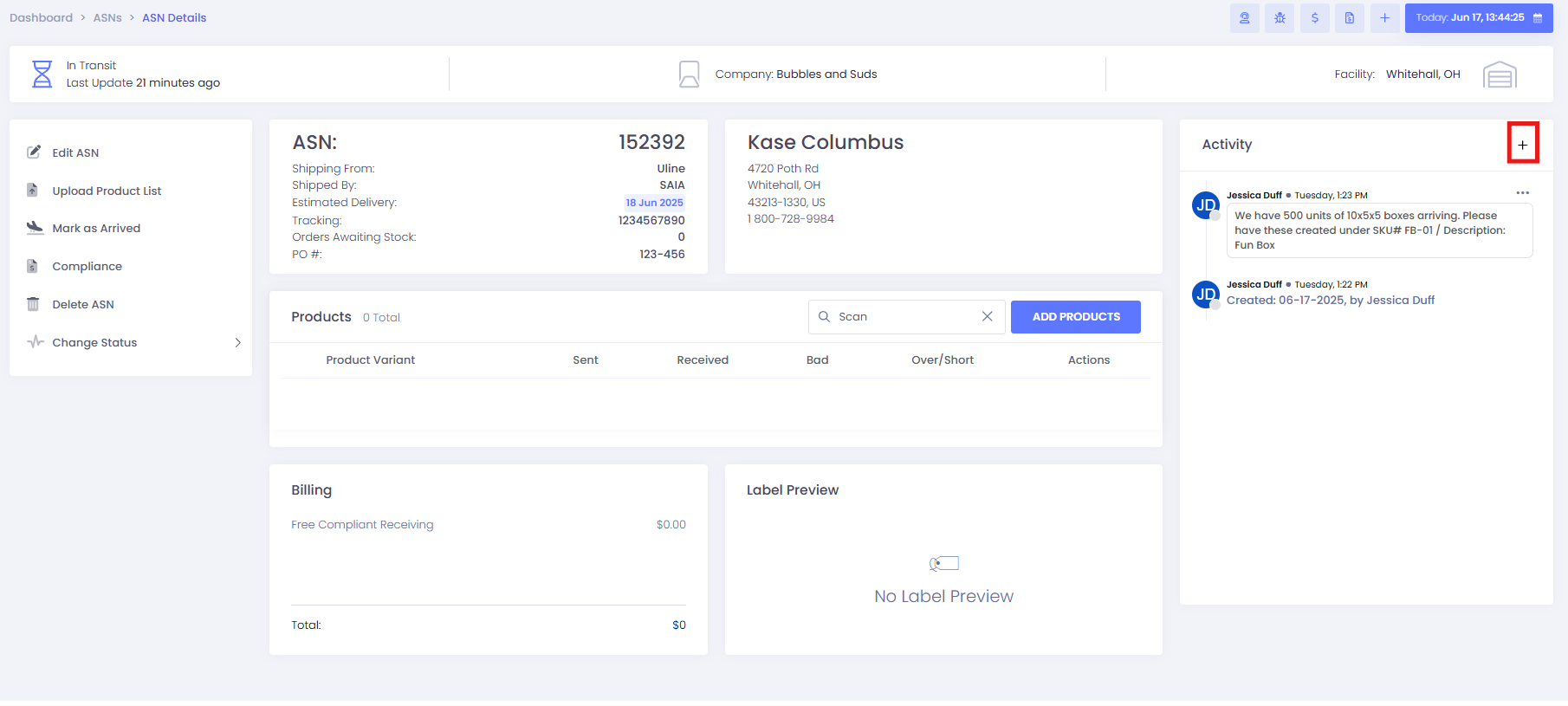
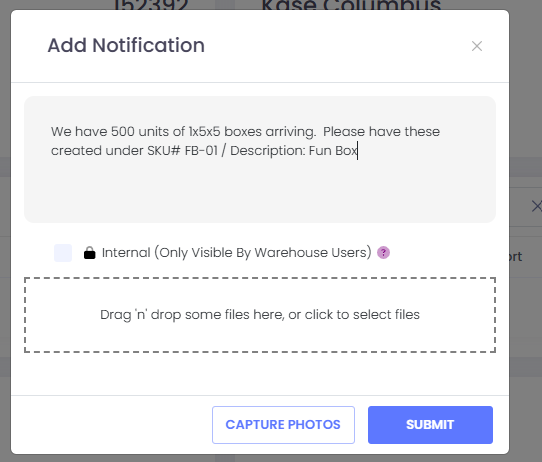
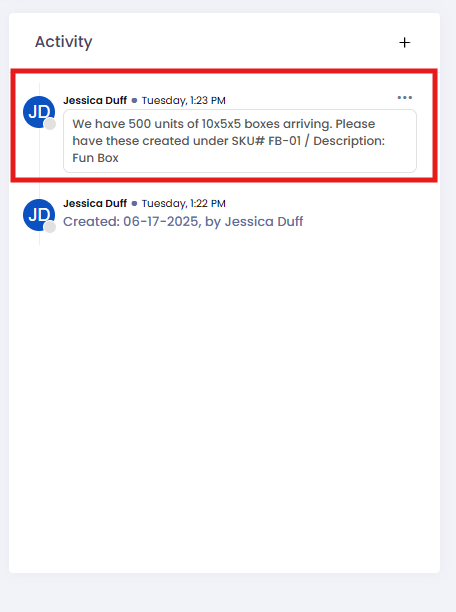
Our team will create these SKUs at the time of receiving, and the items will be properly recorded into inventory.
🔁 Step 3: Creating Future ASNs
Once your branded packaging SKUs have been created by our team, you do not need to include notes again.
For any future ASNs, simply:
- Select the newly created SKU(s)
- Enter the appropriate quantity
- Submit as normal
This streamlines the process and ensures all branded materials are received and tracked properly in our system.
🔗 Related Article:
If you have any questions or want to confirm if your packaging SKUs have been created, please reach out to your Implementation Manager or our Support Team.
Comments
0 comments
Please sign in to leave a comment.